Local
Platform App
- Git & repos
- Flutter SDK
- Node.js
- Docker
The setup app detects tools and starts everything with one click.

Comparison
GitHub Codespaces spins up development environments in the cloud, no local setup needed. After the commit deployment, servers and store releases are missing – the Application Platform covers both.
Start for free. No credit card required.
Entirely your call—we give you the ideal setup for both paths.
The setup app detects tools and starts everything with one click.
Ready-made dev environment—no local setup required.
Both products solve the same first problem: a ready-to-use development environment without local setup. After that they diverge.
The focus here is remote development. Details change over time, so check the current information from each provider when it matters.
| Criterion | Application Platform | GitHub Codespaces |
|---|---|---|
| Development environment in the cloud | Fully covered: Workspaces start fully configured, with no local setup | Fully covered: Core product, mature and quick to boot |
| Editors and ways in | Fully covered: VS Code, JetBrains, RDP and VNC through stable gateway URLs | Fully covered: VS Code in the browser and locally, JetBrains through Gateway |
| macOS environments for iOS builds | Fully covered: macOS machines are part of the offering, including signing and builds | Not offered: Linux environments only |
| How the environment is defined | Fully covered: Project templates and platform configuration with tooling preinstalled | Fully covered: devcontainer.json in the repository, widely supported and portable |
| Connection to Git hosting | Fully covered: GitLab repositories, deploy keys and CI variables are created with the project | Fully covered: Very tight integration with GitHub repositories and pull requests |
| Project scaffolding from templates | Fully covered: Next.js, NestJS, Laravel, FastAPI, Flutter, Expo, Astro and Hugo as a ready project base | Not offered: Starts from an existing repository, does not create the project |
| CI/CD pipelines | Fully covered: GitLab CI configuration lives readably in the repository and can be changed | Partly covered: Not part of the product, CI runs separately through GitHub Actions |
| Deployment and hosting | Fully covered: Deploys to your own or managed servers, with Docker, SSL and backups included | Not offered: Not part of the product |
| Mobile apps and store releases | Fully covered: Flutter, Expo and native projects through to App Store, Play Store and Microsoft Store | Not offered: Not part of the product |
| Billing | Partly covered: Platform fee plus your servers, free to start without a credit card | Fully covered: Per-minute billing based on runtime and storage |
| Where processing happens | Fully covered: Operated in the EU with a data processing agreement, servers freely selectable | Partly covered: US provider, regions selectable, processing under US law |
Green means fully covered, amber partly, grey not offered. Codespaces is a mature development environment – the difference is everything that happens after the commit.
As of 10 August 2026. This comparison describes typical workflows and can differ from project to project.
The chain between a ready development environment and a published release.
VS Code, JetBrains, RDP and VNC all run through stable gateway URLs. macOS machines are available too, so iOS builds are not blocked by the operating system.
Repository, project structure, pipeline, domain and credentials are created together from a template instead of being wired up one by one.
From workspace through pipeline to your server: Docker, databases, reverse proxy, SSL, firewall and backups are configured for you.
Processing and hosting in Europe, with a data processing agreement, roles, access rights and an audit log.
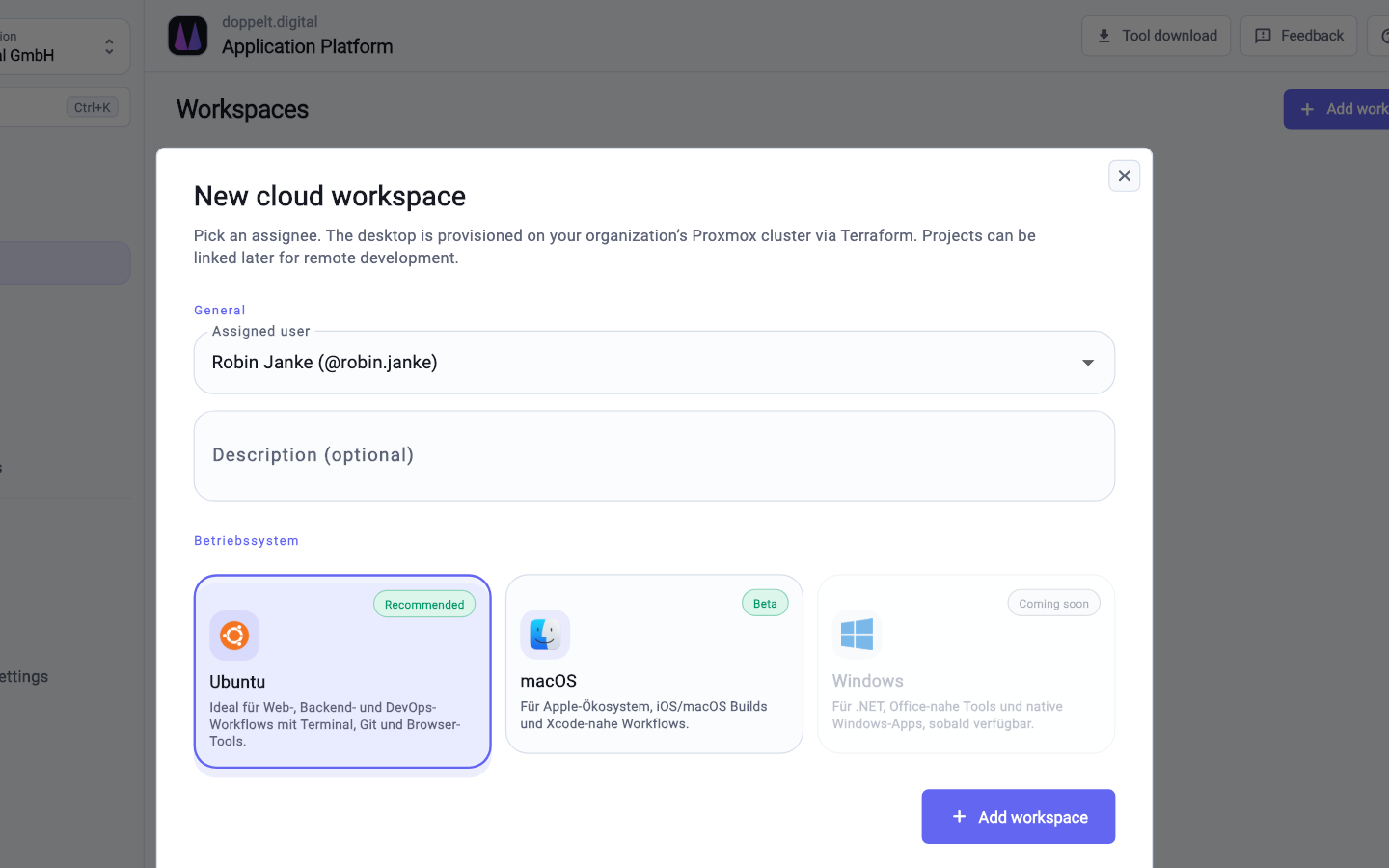
You can start with the workspaces and adopt the rest of the chain later.
Set up your project in the wizard and pick the stack. Repository, structure and CI/CD pipeline are created along with it.
Launch a cloud workspace with VS Code, JetBrains, RDP or VNC. For iOS projects you pick a macOS machine.
The GitLab CI configuration lives in the repository. Existing build steps can be carried over and adjusted.
Connect your own server over SSH or book a managed one, then add store releases for your mobile apps.
For the purpose of a cloud development environment, yes. Workspaces start fully configured and run through gateway URLs with VS Code, JetBrains, RDP or VNC. The difference: the environment belongs to a project with a pipeline, servers and releases.
Platform workspaces are provisioned from project templates and platform configuration rather than devcontainer.json. The idea stays the same: the environment is described and reproducible. Extra tooling can be added through project configuration.
Codespaces bills per minute based on runtime and storage, cheap for occasional use. On the Application Platform you pay for the platform and your servers, with pipeline, deployment and store publishing included.
Register for free, start a workspace and see how far the chain reaches afterwards.
Start for free. No credit card required.