






























Ready to code In minutes, not days

Repos, pipeline and server setup arrive with the project. You write code, not the scaffolding around it.

Already built on the platform

Apps, backends, and homepages, live with full setup.

Three things you actually do

No kickoff for setup. Connect a server, create a project, push code – the platform lays down the rest.

First

A server you have, or one we provide

If you already have a machine, SSH is enough. If not, take a managed server. Backups and deploy access are in place before the first commit.

  • Your own server over SSH, or a managed one
  • Backups and credentials from the start
  • The pipeline can deploy there immediately
Then

Create the project in the wizard

Name, stack, app, homepage or backend. That produces GitLab repos and a pipeline – not the two-day checklist.

  • Repos with structure instead of an empty folder
  • CI/CD lives in the repository and is readable
  • Domain and SSL if you provide them

After that

Keep going locally or in a workspace

Setup app on your machine or a ready VM in the cloud. Push to main – test, build and deployment run through the same pipeline.

  • Setup app locally
  • Cloud workspace when the laptop is too small
  • Release through the prepared pipeline, not by hand

The platform at a glance

A short overview of how the Application Platform simplifies IT projects.

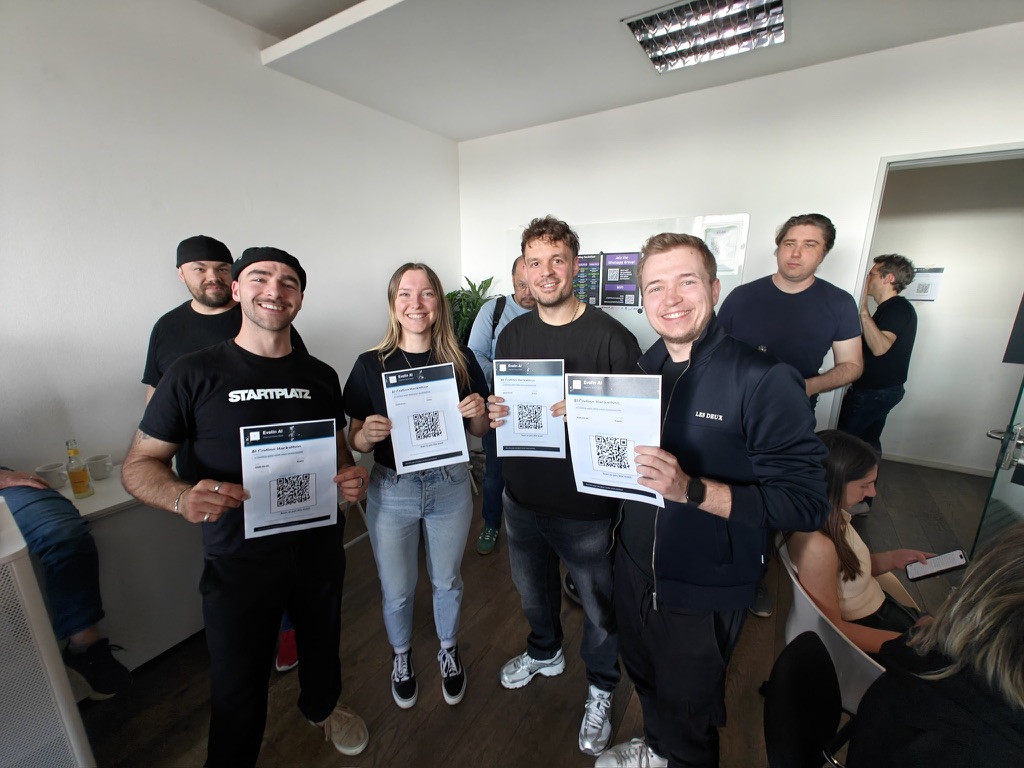
The EveLin AI team holding event flyers

EveLin AI

QR matching at events, built on the platform

EveLin scans QR codes and suggests who to talk to next. Infra, pipeline and hosting came from the platform – the team wrote the matching logic, not Docker and DNS again.

Visit website

About us

For a long time it was common to set everything up from scratch for every IT project. So we built our own solution.

Robin Janke

Founder & CTO

Robin has worked for several of Germany's largest companies, knows their problems inside out and knows the Application Platform by heart.

Portrait of Robin Janke

Sifen Berhanu Beshah

Co-Founder & Operations

Sifen studies at one of Germany's most renowned universities and brings experience from projects at large corporations. Ideal for business development and marketing.

Portrait of Sifen Berhanu Beshah

Learn more

Ready to start?

Create your first IT project

Create an account, click through the wizard. Repos, pipeline and server wiring come with it.

Start for free. No credit card required.

Pricing

We offer a Platform as a Service (PaaS) as a monthly subscription.

Starter

Ideal for startups that want to launch their first projects quickly.

€29 Price per month

  • 3 projects
  • 3 users
  • Everything to build your product
Start now

Agency

Great for many projects and clear separation between clients.

€249 Price per month

  • 75 projects
  • 10 users
  • Everything in Team
  • Audit log
  • Customer and guest access
Start now

Enterprise

The right fit for deployments in large companies.

On request

  • Custom projects
  • Custom users
  • Features depend heavily on your company; we are happy to integrate custom features.
Price on request

Additional users, workspaces, and CI minutes can be purchased flexibly.

More details

FAQs

What people ask before they create an account.

Can I use my own server?

Yes. SSH to your machine or a managed server from the platform. Backups and deploy access included.

What is created with a project?

GitLab repos, project structure, CI/CD, optional domain/SSL and the server connection. Not an empty checklist.

Local or cloud?

Both. Setup app on the machine or a workspace VM. Same code, same pipeline.

Is CI/CD included?

Yes. The pipeline is GitLab CI in the repository – test, build, publish, release.

Where do code and data live?

In your repos on gitlab.application-platform.com and on the servers you attach. We do not hide the stack.

Does getting started cost anything?

Registering and creating a first project is free. Plans are under Pricing.

From the blog

What changed on the platform – without a marketing cloud.

· 3 min read

Personal API Keys: Automating the Platform

Personal API keys let the ap CLI, your CI runs and your own scripts authenticate against the platform without anyone signing in through a browser.

See all articles